DJI Mavic 4 Pro Review — Why I’m Upgrading, But Keeping the Mavic Mini 4
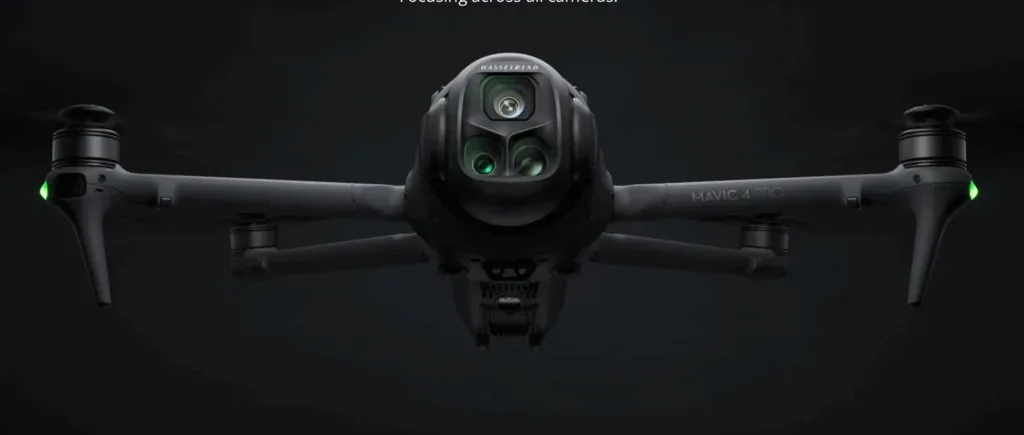
When you’ve been working in the creative industries for as long as I have, you develop a bit of an instinct for when a piece of kit is going to be a game-changer.
Having owned an array of DJO Drones from the Phantom to Inspire 1, the Mavic Mini 2 and Mavic Mini 4, the introduction of the Mavic Pro 4, back in May 205, has had me pondering for the past 3 months.
So, it was about time to head out on location with a trusted colleague who had already taken the plunge, to see what all the fuss was about.
I wasn’t there to fly—sometimes you learn more by stepping back and take in the action for a change. And from the offset, DJI’s latest flagship, the Mavic 4 Pro Creator Combo, paired with the RC Pro 2 controller looked like a great choice.
But would this drone justify me replacing our existing Mavic Mini 4 for commercial work.
By the end of the shoot, my decision was made.
First Impressions of the Mavic 4 Pro Cameras
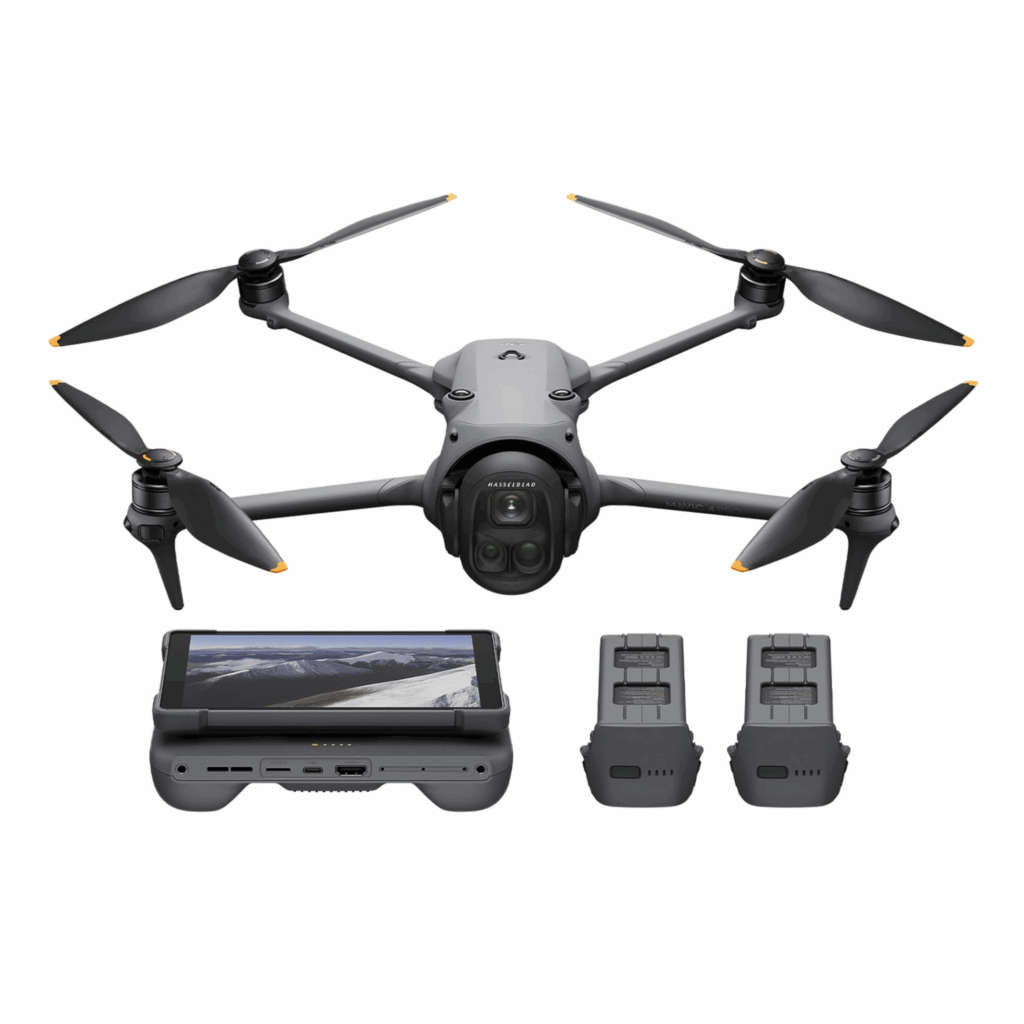
On the ground, the Mavic 4 Pro immediately feels like a different class of machine. At just over 1 kg (around 1,063 g take-off weight), it’s noticeably heavier than the Mini, but every gram is there for a reason.
When you see the footage this drone produces, it’s clear the camera system has been designed with serious creators in mind. At the centre is the 4/3 CMOS Hasselblad — a 100MP powerhouse that captures colour exactly as your eye sees it, thanks to Hasselblad’s own colour science.
The detail is staggering, whether you’re shooting in golden evening light or in the low glow of dawn.
Its adjustable aperture means you can control depth, starburst effects, and low-light performance without compromise.
Switch to the 70mm medium telephoto and you get a whole new perspective — portraits with a cinematic feel, car footage that looks like it’s straight from a high-end commercial, and the kind of subject separation that makes your shots pop.
Then there’s the 168mm telephoto, designed to pull the far-off into the frame without losing sharpness.
It flattens perspective, isolates subjects, and opens up incredible opportunities for picking out details in sprawling landscapes or busy cityscapes.
Together, the three lenses give you the range to tell any visual story — from epic wides to intimate close-ups — all with the stability and quality you’d expect from top-tier aerial cinematography.
The Infinity Gimbal
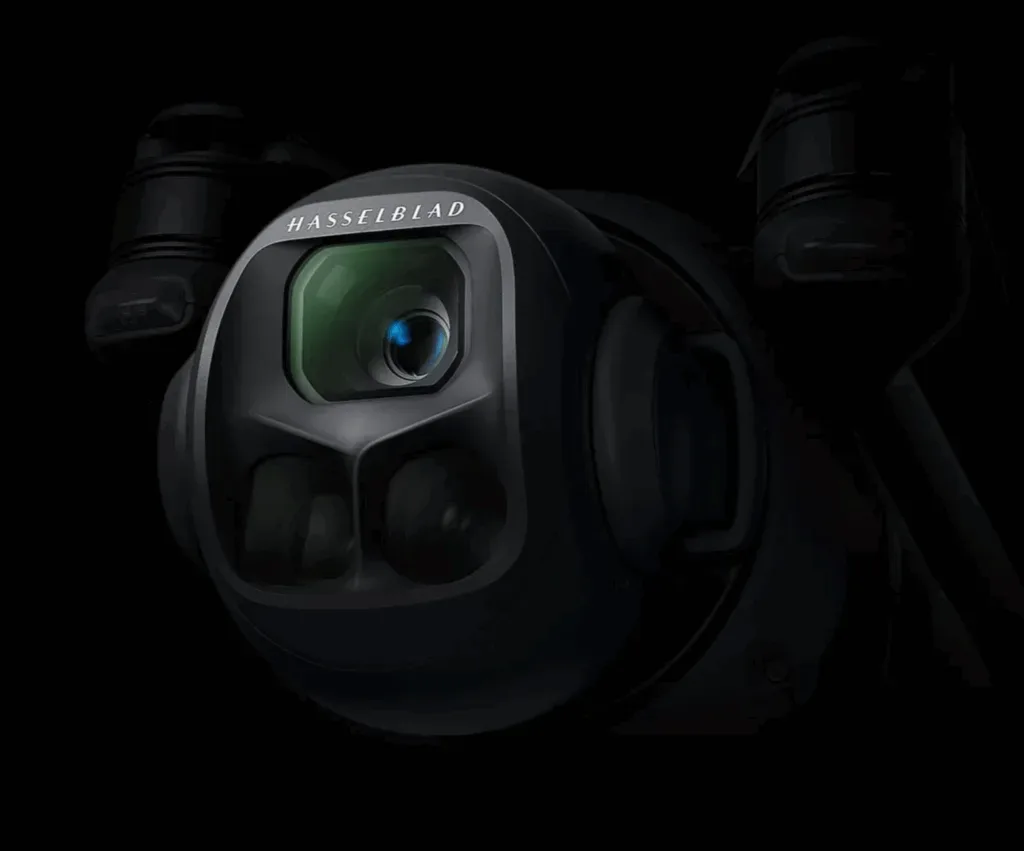
This completely changes the way you think about aerial shots. Its design lets the camera rotate a full 360 degrees, so you’re no longer limited to the usual horizon-level framing.
You can create dramatic, in-camera Dutch angles or fluid, sweeping moves that feel almost weightless — the kind of motion that transforms standard drone footage into pure cinema.
And then there’s the upward 70° tilt. It’s a game-changer for capturing scenes you’d never normally see from the air — looking up at towering mountain faces, the intricate lines of bridges, or the dramatic scale of city skyscrapers.
It opens up fresh, unexpected perspectives that break the mould of traditional aerial photography, giving you the freedom to tell your story from angles that were once impossible.
This setup means you can shift from sweeping landscapes to tight, intimate detail shots without ever landing or swapping hardware.
In Flight: Smooth, Responsive, Cinematic
Once in the air, the Mavic 4 Pro moves with a quiet confidence. I watched as the pilot glided it across open farmland, tracking moving vehicles with buttery-smooth stability.
The Hasselblad camera output was stunning: 6K/60fps HDR video, 100 MP stills, and an impressive dynamic range that kept detail in both the bright summer clouds and the shaded hedgerows below.
In lower light, the drone’s low-light LiDAR obstacle sensing came into play, reportedly working down to 0.1 lux—basically moonlight. For shoots where golden hour blends into dusk, this is a huge creative advantage.
The 51-minute maximum flight time DJI claims may be optimistic in heavy winds or complex shooting, but the pilot said they routinely get 35–40 minutes of solid filming from a single battery. The parallel charging hub also means turnaround between flights is much faster—an important edge on busy commercial jobs.
RC Pro 2: The Best Controller I’ve Seen
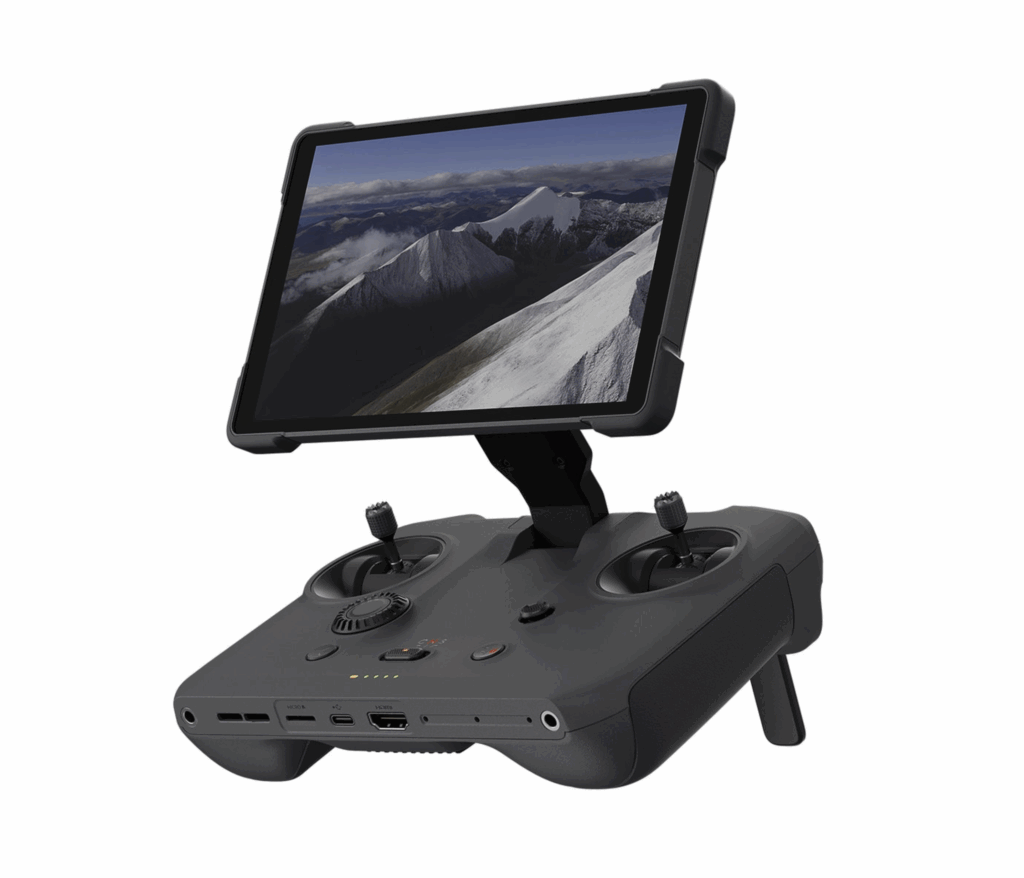
The Ultimate Creative Command Hub
The RC Pro 2 takes drone control to a new level. At first glance, the 7-inch Mini-LED display dominates your attention — it’s huge, sharp, and bright enough to cut through midday glare, peaking at a blistering 2,000 nits.
The 10-bit colour reproduction makes your live feed look like it’s already been graded, letting you see the subtle tones, rich shadows, and fine details you’d normally only notice back in the edit suite.
Switching from landscape to portrait is effortless.
Simply rotate the controller and the drone’s gimbal follows instantly, locking in vertical framing for social-ready shots without digging through menus or wasting time.
The whole design is built for flow — unfold it and the joysticks pop into place, the screen wakes, and you’re ready to fly in seconds. In the air, every input feels precise, making complex manoeuvres smoother and less stressful.
It’s far more than just a remote. The RC Pro 2 runs on a customised Android system, so you can download editing apps, review your shots, or even apply quick tweaks before you land.
Built-in HDMI lets you stream or view on a larger display, while the integrated microphone and DJI Mic compatibility open up in-flight commentary and live content creation.
With 128GB of internal storage plus microSD support, you’ve got space for apps, screen recordings, and media without worrying about running out.
Connectivity is rock-solid thanks to the latest OcuSync transmission, giving you a stable, ultra-low latency feed even at long range. And with a battery life of around four hours, you can comfortably get through multiple flights without recharging. When you’re done, the controller folds down neatly, balancing portability with a reassuringly solid feel in the hand.
This isn’t just about flying the drone — it’s about streamlining your whole creative process, from framing the shot to having content ready to share before you’ve even packed away your gear.
ProRes vs ALL-I vs H.265 — Which Codec Fits Your Workflow?
| Feature / Codec | ProRes (Apple) | ALL-I (All-Intra H.264/AVC) | H.265 (HEVC) |
|---|---|---|---|
| Compression Type | Intra-frame (each frame stored fully) | Intra-frame (each frame stored fully) | Inter-frame (uses data from multiple frames) |
| File Size | Large | Large (similar to ProRes, sometimes smaller) | Smallest of the three |
| Editing Performance | Best in Final Cut Pro, very smooth in Resolve & Premiere | Excellent in Resolve & good in Premiere, heavier in Final Cut | Lightest on storage but can be slow to edit without transcoding |
| Image Quality | Excellent — high bit depth, rich detail | Excellent — retains fine detail & gradation | Very good, but can show compression artefacts under heavy grading |
| Grading Flexibility | Outstanding | Outstanding | Good, but less forgiving |
| Best Use Case | Final Cut workflows, high-end colour work | Multi-platform editing, Resolve colour grading | Delivery formats, long shoots where storage is limited |
| Storage Needs | Very High | Very High | Low |
| Hardware Support | Full Apple Silicon hardware acceleration | CPU-heavy, GPU helps but not as optimised | Needs modern hardware for smooth playback |
The New ALL-I Codec: What It Means for Creatives
One of the standout upgrades in the DJI Mavic 4 Pro Creator Combo is the move to DJI’s new ALL-I (All-Intra) H.264/AVC codec for high-end capture.
In simple terms, ALL-I is a way of storing video where every single frame is compressed independently (intra-frame compression) instead of relying on data from surrounding frames (inter-frame compression). This is great news for post-production because each frame is a complete image, making it far easier to pull out sharp stills, perform heavy colour grades, and apply complex effects without the software having to reconstruct missing data from other frames.
For DaVinci Resolve Users
ALL-I plays very nicely with DaVinci Resolve. The intra-frame nature means smooth scrubbing on the timeline, fewer hiccups with multi-node grades, and better performance when applying masks, stabilisation, or advanced noise reduction. Colourists will appreciate the high bitrate and the codec’s ability to retain fine detail in shadows and highlights. It’s not ProRes, but it’s a serious upgrade from long-GOP codecs, which can sometimes break down under heavy corrections.
For Final Cut Pro Users
Final Cut Pro is optimised for Apple ProRes, which is deeply integrated into macOS and Apple Silicon hardware acceleration.
While Final Cut can handle ALL-I, it doesn’t enjoy the same level of native performance. The result? You might find larger files more demanding to play back in real time—especially if you stack up multiple streams, effects, or 6K footage.
Many Final Cut editors will benefit from transcoding ALL-I footage to ProRes 422 upon ingest, which improves timeline responsiveness but adds an extra step and increases storage requirements.
For Adobe Premiere Pro Users
File Transfers Made Easy

Premiere Pro handles ALL-I relatively well, especially on modern systems with strong CPU performance. However, GPU-accelerated systems will see smoother performance with ProRes or DNxHR, so converting before a big edit can still make sense.
If you’re shooting in ALL-I specifically for grading flexibility, keep your system optimised and use SSD storage to handle the larger data rates.
If you’ve ever tried transferring footage from a Mavic Mini 4, you’ll know it can be a painful process — especially for Apple users.
Moving files from the remote controller often turns into a frustrating cycle of failed transfers, slow speeds, and repeated restarts. It’s enough to break your creative flow before you’ve even started editing.
The Mavic 4 Pro changes that completely. With QuickTransfer, you can send huge 100MP RAW images straight from the drone to your phone at speeds of up to 80MB/s, all without unpacking or powering it up.
Just wake the drone via the DJI Fly app and it gets to work, even continuing in the background if you switch apps.
And for those who want to skip the mobile step entirely, you can plug the drone directly into your computer via USB — again, no need to turn it on. On top of that, the built-in 500GB storage means you can keep shooting without juggling SD cards, and still transfer everything quickly and reliably when you’re ready. It’s a genuine game-changer for anyone who’s wasted hours wrestling with clunky file transfers in the past.

Why the Creator Combo Wins Here
The Mavic 4 Pro Creator Combo includes a 512 GB internal SSD, giving you the headroom to store large ALL-I files without juggling multiple microSD cards mid-shoot.
On high-end projects, this makes a massive difference—no swapping cards while talent waits, no losing time between takes, and fewer chances of data handling mistakes on location.
Why the Mavic 4 Pro Is Worth It
After seeing it in action, it’s clear:
-
Image quality is as close to a cinema camera in the sky as you’ll get in this weight class.
-
Lens flexibility means less time landing, swapping gear, and missing moments.
-
Battery life is long enough for most assignments without constant interruptions.
-
Obstacle avoidance feels genuinely confidence-inspiring.
If your work demands the highest visual standards and flexibility, the Mavic 4 Pro is an investment worth making.
Why I’m Keeping the Mavic Mini 4
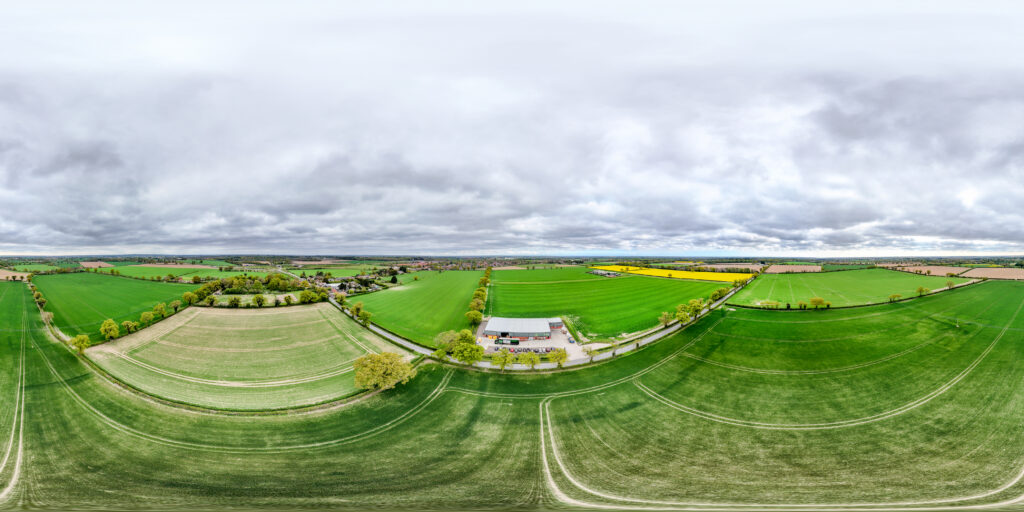
That said, the Mavic Mini 4 isn’t going anywhere. In the UK, a sub-250 g drone has specific advantages that make it invaluable for certain jobs—advantages that even the most advanced 1 kg drone can’t match.
1. Fly Closer to People Without an A2 CofC
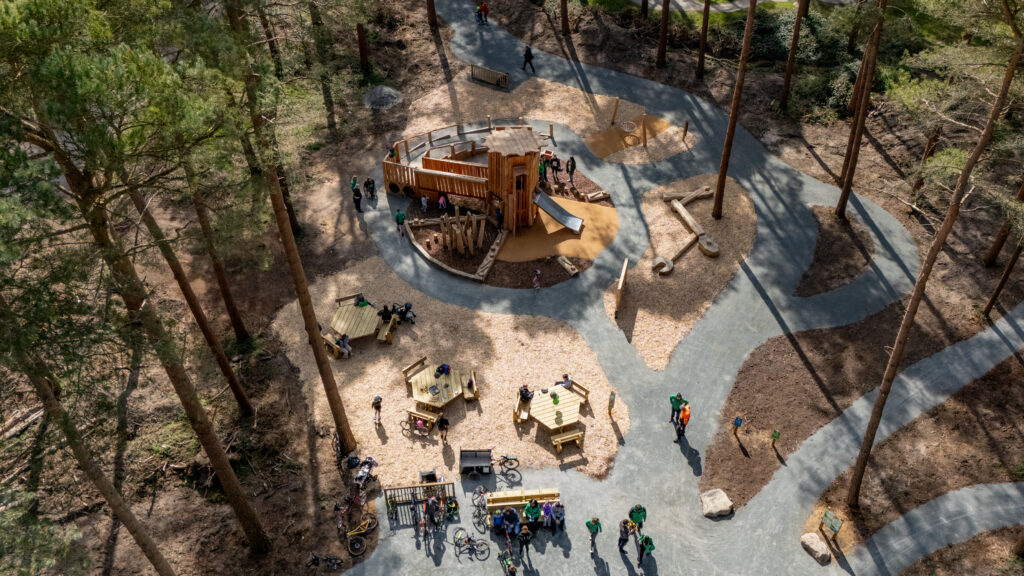
A sub-250 g drone can operate in the Open Category A1 under UK CAA rules, meaning you can fly closer to uninvolved people than you can with heavier drones. While you still can’t deliberately fly over crowds, you can work in environments like busy high streets or small events without the strict 50 m distance requirement.
2. No Additional Licensing for Many Scenarios
While the A2 CofC is essential for larger drones in the A2 category, the Mini 4 often doesn’t require it for compliant operations. This makes it perfect for quick-turnaround work or for bringing in freelance pilots who don’t hold the qualification.
3. Discreet and Less Intrusive
In sensitive environments—wildlife filming, heritage sites, or client shoots in public spaces—the Mini 4’s smaller size and quieter operation reduce disruption and draw less attention.
4. Ultra-Portable
It’s small enough to slip into a backpack, meaning it can always travel with you. For assignments abroad or shoots requiring a lot of other kit, the reduced weight is a genuine advantage.
5. Lower Risk Profile
With less kinetic energy than heavier drones, the Mini 4 carries a lower risk in the event of a technical issue or crash—something both clients and operators find reassuring in busy environments.
The A2 CofC: Essential for the Mavic 4 Pro
Right now (August 2025), the A2 Certificate of Competency is the golden ticket for UK operators wanting to use a drone like the Mavic 4 Pro to its full potential.
Because the Mavic 4 Pro weighs over 1 kg, without the A2 CofC you’re stuck in the A3 subcategory—meaning flights must take place well away from people and built-up areas. That rules out most urban or public-space work.
With the A2 CofC, you can:
-
Fly in the A2 subcategory of the Open Category.
-
Operate as close as 50 m horizontally to uninvolved people (still no overflight).
-
Work legally in more locations, with more creative flexibility.
The qualification itself is straightforward:
-
CAA Flyer ID and Operator ID required.
-
Self-directed practical training (flying in A3 conditions).
-
Passing the theory exam with a CAA-recognised assessment entity.
-
Valid for five years.
2026 and the New Drone Class Marking System
From 1 January 2026, the UK is introducing an EU-aligned C0–C4 drone class marking system. This change will affect how drones are categorised and operated.
A quick breakdown:
-
C0 and C1 drones can fly closer to people with fewer restrictions.
-
C2 drones (likely where the Mavic 4 Pro would land) will have limitations unless flown in slow modes or with additional qualifications.
-
Sub-250 g drones (C0) will keep their current freedoms.
The big unknown is whether current Mavic 4 Pro models will receive retroactive class marking or if DJI will release a C-marked version specifically for 2026 compliance.
Should You Still Take the A2 CofC Now?
With just a few months left before the class marking system takes over, is it worth investing in an A2 CofC?
In my view:
-
Yes, if you’re working commercially right now with a drone like the Mavic 4 Pro. The qualification gives you operational freedom immediately.
-
Possibly no, if you don’t plan to use a heavier drone until after 2026—depending on how the C-marking rules land.
For Blanc Creative, the decision is simple. We’re investing in the A2 CofC now, using the Mavic 4 Pro for premium projects, and keeping the Mavic Mini 4 for jobs where agility and reduced admin are more important than ultimate image quality.
The Perfect Two-Drone Strategy
By running both the Mavic 4 Pro and Mavic Mini 4, we cover:
-
High-end cinematic work where image quality is non-negotiable.
-
Discreet or public-space shoots where sub-250 g classification is a huge advantage.
-
Travel and quick deployment jobs where portability wins.
This isn’t about replacing one with the other—it’s about having the right tool for the right job.
Final Thoughts: A Balanced Upgrade
The DJI Mavic 4 Pro Review in one sentence?
It’s the most versatile, most capable consumer drone I’ve seen to date, offering cinema-level footage in a package you can carry in one hand.
But it doesn’t make the Mavic Mini 4 obsolete—in fact, it makes it more important than ever as a complement in a professional aerial toolkit.
If you want to explore more about the Mavic 4 Pro, check the DJI official page. And if you want to stay ahead of the regulatory curve, Heliguy’s class marking guide is essential reading.